Table of Contents
ToggleStanding desks have become a staple in home offices, but nothing disrupts your workflow faster than an ASR error flashing on your controller. If your desk refuses to move, makes grinding sounds, or displays an error message, you’re not alone, this issue affects multiple standing desk brands and models, from budget sit-stand frames to premium motorized units. ASR typically stands for Active System Reset or Anti-Collision System Reset, depending on the manufacturer. It’s a safety feature designed to prevent damage, but when triggered incorrectly, it can leave your desk stuck at the wrong height. This guide walks through exactly what causes ASR errors and how to fix them without needing a technician.
Key Takeaways
- An ASR error on a standing desk signals that the control system detected a problem with the motorized lift mechanism, usually triggered by weight overload, obstructions, or mechanical interference—but most cases resolve with a simple reset.
- Overloading your standing desk beyond its 150–350 pound capacity or distributing weight unevenly causes motor strain and ASR errors; reducing load or redistributing items is often the fastest fix.
- Cable snags, dust buildup in telescoping leg channels, and mechanical binding are common culprits of ASR errors that can be prevented with regular cleaning, dry PTFE lubrication, and proper cable management.
- Performing a full system reset (unplugging for 30 seconds) or recalibration (holding the DOWN button until the desk reaches lowest position) clears most temporary ASR error faults and restores normal function.
- If ASR errors persist after troubleshooting, contact manufacturer support before attempting repairs, as most standing desks include a 3–10 year warranty and support teams can diagnose faulty components remotely.
- Consider professional repair ($75–150) or a backup control box ($40–80) for frequently-used standing desks, as the financial investment typically justifies itself for premium models with significant downtime costs.
What Does ASR Error Mean on a Standing Desk?
An ASR error signals that the desk’s control system has detected a problem with the motorized lift mechanism. Most modern standing desks use dual motors connected to a control box that monitors load, movement, and obstructions. When the system senses unusual resistance, excessive weight, or a mechanical fault, it triggers an ASR error to prevent motor burnout or frame damage.
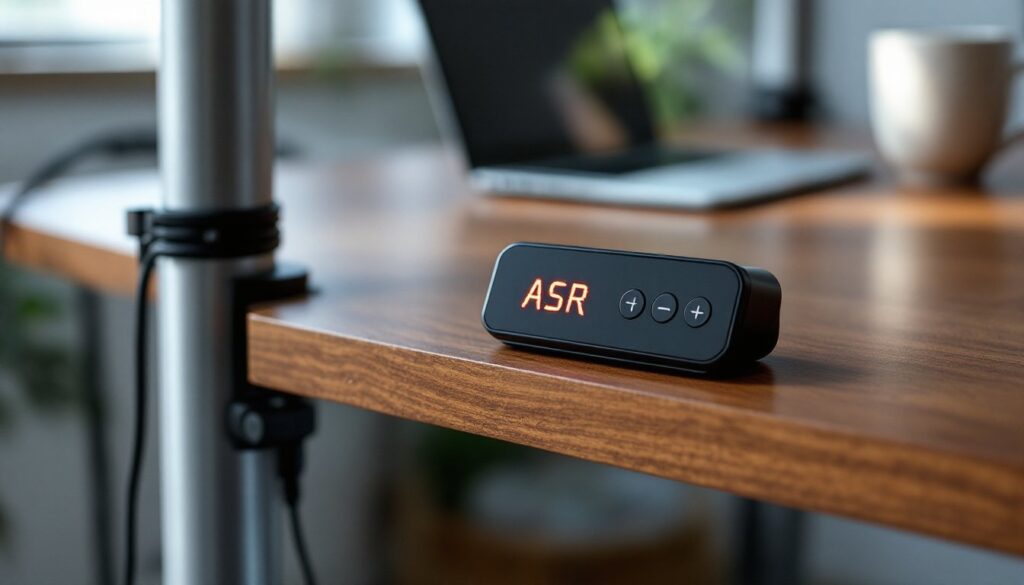
The error can manifest in different ways depending on the brand. Some desks display “ASR” or “E01” on the LED controller, while others simply stop moving and beep repeatedly. A few models flash the height display or require a manual reset sequence.
This safety feature is built into desks with anti-collision technology, sensors that stop the desk if it encounters an object during height adjustment. While this prevents crushing laptops or coffee mugs, the system can also trip due to uneven weight distribution, cable snags, or even dust buildup in the motor housing. Understanding your specific desk’s wiring and control logic helps narrow down the root cause faster than generic troubleshooting.
Most ASR errors don’t indicate permanent damage. The control box is designed to protect the motors, not signal failure. In many cases, a simple reset clears the error and restores normal function. But, repeated ASR errors often point to an underlying mechanical or electrical issue that needs addressing.
Common Causes of ASR Errors in Standing Desks
Overloading and Weight Distribution Issues
Most standing desk frames are rated for 150 to 350 pounds, including the desktop, monitor arms, equipment, and any items stored on the surface. Exceeding this capacity, even temporarily, can trigger an ASR error. The control system monitors motor current draw: when one or both motors strain under excessive load, the system shuts down to prevent overheating.
Uneven weight distribution causes similar problems. If you’ve mounted a heavy monitor arm on one side or stacked books on a corner, the motors fight each other to keep the desktop level. The control box detects this imbalance as abnormal resistance and throws an error. Solid wood desktops (like butcher block or walnut slabs) often weigh 80–100 pounds on their own, leaving less capacity for equipment than a laminate top would.
Check your total load by removing non-essential items and testing the desk movement. If the error clears, you’ve confirmed a weight issue. Some users solve this by upgrading to a three-motor frame or switching to a lighter desktop material, such as bamboo plywood or a commercial-grade particleboard core with melamine finish.
Obstructions and Mechanical Interference
The anti-collision sensors in standing desks use current sensing or infrared detection to identify obstructions. Cable management trays, power strips, or even thick charging cables can snag on the frame during height adjustment, triggering an ASR error. If cables are zip-tied too tightly to the legs, they restrict movement and create resistance the control box interprets as a collision.
Mechanical binding is another common culprit. Dust, pet hair, and debris can accumulate in the telescoping leg channels, especially if the desk sits on carpet or in a workshop environment. Over time, this buildup increases friction and causes the motors to work harder. Some desks use linear actuators with exposed screws: these require periodic cleaning and light lubrication with dry silicone spray, never WD-40 or oil-based lubricants, which attract more dust.
Check for obstructions by manually inspecting the underside of the desk while someone else operates the controls. Look for pinched cables, items wedged between the frame and wall, or any components that move with the desk but shouldn’t. Many DIY troubleshooting resources recommend running the desk through its full height range while watching for interference points. If you hear scraping or grinding, stop immediately and locate the source before attempting another reset.
Step-by-Step Solutions to Fix ASR Errors
Start with a full system reset, which clears most ASR errors caused by temporary sensor glitches or power fluctuations. Disconnect the desk from power completely, unplug it from the wall outlet, not just the control box. Wait 30 seconds to allow capacitors to discharge, then reconnect and test.
If the error persists, perform a recalibration (also called initialization or homing). The exact procedure varies by manufacturer, but most follow this pattern:
- Press and hold the DOWN button until the desk reaches its lowest position and attempts to go lower (you’ll hear the motors strain slightly).
- Release the button once the desk stops moving.
- Press and hold the DOWN button again for 10–15 seconds. The display may flash or show “RST” during this process.
- Release and test the desk through its full range of motion.
This sequence resets the control box’s memory of the minimum and maximum height positions. If your desk has programmable presets, you’ll need to reprogram them after recalibration.
For weight-related errors, redistribute or reduce the load. Remove monitors, laptops, and equipment, then test the desk bare. If it moves freely, add items back one at a time to identify the tipping point. Consider mounting heavy equipment like UPS battery backups or PCs under the desk with brackets, rather than on the surface. This lowers the center of gravity and often resolves balance-related ASR errors.
Inspect and clean the mechanical components. Lower the desk fully and wipe down the telescoping leg channels with a microfiber cloth. For stubborn debris, use a vacuum with a brush attachment. If the legs have exposed lead screws (threaded rods), apply a thin coat of dry PTFE lubricant using a spray bottle. Avoid grease or wet lubricants, which create a dirt magnet. Some woodworking and maintenance guides recommend cleaning telescoping mechanisms every six months in dusty environments.
Check all cable connections. Unplug and reseat the motor cables at the control box, corrosion or loose connectors cause intermittent faults that mimic ASR errors. Examine the power cable for damage, especially near the plug and where it enters the control box. If your desk uses RJ45 or proprietary connectors, ensure they’re fully seated and the locking tab hasn’t broken.
For desks with separate motor controls, verify both motors are receiving power. You can test this by disconnecting one motor and running the desk with only the other connected (never do this with weight on the desktop, the frame will tilt). If one motor triggers the error and the other doesn’t, you’ve identified a failing motor that needs replacement.
Some standing desks, particularly older IKEA Bekant models, have documented ASR issues related to the control box firmware. In these cases, the manufacturer may offer a firmware update or replacement control unit. Check the underside of your control box for a model number and search the manufacturer’s support site for known issues and patches.
Safety note: Always wear safety glasses when working under the desk, especially if using compressed air or cleaning sprays. Disconnect power before touching any electrical components. If the desk begins moving unexpectedly during troubleshooting, step back, never try to stop a motorized desk with your hands or body.
When to Contact Customer Support or Seek Professional Help
If you’ve completed all troubleshooting steps and the ASR error persists, the issue likely requires replacement parts or professional diagnosis. Contact the manufacturer’s support team before attempting any repairs that might void the warranty, most standing desks include a 3 to 10-year warranty on the frame and motors.
Provide specific details when reaching out: the exact error code or display message, when the problem started, whether it’s intermittent or constant, and what troubleshooting you’ve already completed. This saves time and often gets you to a solution faster. Many manufacturers will ship replacement control boxes or motors under warranty if you can confirm the faulty component through their diagnostic process.
Consider professional help if you’re uncomfortable working with electrical components or if the desk shows signs of structural damage, bent legs, cracked welds, or stripped screws in the frame mounting points. Some issues, like a seized motor or damaged gearbox, require disassembly that’s not practical for most DIYers. Local furniture repair services or handyperson contractors can often diagnose and fix mechanical problems for $75–150, depending on your region and the complexity.
If the desk is out of warranty and replacement parts are expensive, evaluate whether repair makes financial sense. Budget standing desk frames ($200–400 new) may not justify a $150 motor replacement, while a premium adjustable base ($800+) absolutely does. Some manufacturers sell refurbished control boxes and motors at significant discounts, ask support if that’s an option.
For desks used in a commercial setting or home office where downtime affects productivity, keep a backup control box on hand. These typically cost $40–80 and can be swapped in minutes, letting you diagnose whether the issue is in the controller or the motors themselves.
Conclusion
ASR errors are frustrating but rarely indicate a failed standing desk. Most cases resolve with a simple reset, recalibration, or load adjustment. By understanding your desk’s control system and performing regular maintenance, cleaning the legs, managing cables properly, and respecting weight limits, you’ll prevent most errors before they occur. When DIY troubleshooting reaches its limit, don’t hesitate to tap manufacturer support or a qualified repair tech. A functional standing desk is worth the effort, and getting yours back to smooth operation means returning to the ergonomic benefits that made you invest in one in the first place.