Table of Contents
ToggleHome automation no longer requires a computer science degree or a contractor on speed dial. The Aeotec Smart Home Hub brings together Z-Wave devices, smart sensors, and automated routines under one roof, literally. Whether someone’s looking to retrofit an older home with modern conveniences or integrate new construction with cutting-edge tech, this hub offers a local-processing alternative to cloud-dependent systems. It’s Samsung SmartThings compatible, supports over 4,000 devices, and runs automation even when the internet goes down. For homeowners ready to control lighting, security, climate, and more from a single interface, Aeotec delivers the backbone for a genuinely connected living space.
Key Takeaways
- The Aeotec Smart Home Hub centralizes Z-Wave, Zigbee, Wi-Fi, and LAN devices into one multi-protocol controller with local processing, eliminating cloud dependency for critical automations like security and climate control.
- Local execution of automations ensures faster response times and continued operation during internet outages, making the Aeotec Smart Home Hub ideal for homeowners prioritizing reliability and safety.
- Z-Wave long range technology extends mesh network coverage to 300-500 feet in residential settings, eliminating dead zones for large properties without requiring additional repeaters.
- Battery backup with four AA batteries provides approximately 10 hours of runtime during power outages, keeping security sensors, locks, and essential automations operational.
- Setup takes 15-20 minutes with wired Ethernet connection, and the hub supports over 4,000 certified devices including smart locks, sensors, thermostats, and voice assistants like Google Assistant and Amazon Alexa.
- Optimizing Z-Wave mesh performance through strategic repeater placement, local automation configuration, and regular firmware updates maximizes reliability and prevents common issues like slow response times or failed automations.
What Is the Aeotec Smart Home Hub and Why Does It Matter?
The Aeotec Smart Home Hub is a Z-Wave Plus controller that centralizes smart home devices into one manageable system. Unlike Wi-Fi-only hubs, Z-Wave operates on a dedicated mesh network at 908.42 MHz in the U.S., reducing interference from routers, microwaves, and neighboring networks. This matters for reliability, when someone arms a security system or locks a deadbolt, the signal needs to get through every time.
Aeotec partnered with Samsung to continue SmartThings hub development after Samsung discontinued its own hardware line in 2021. The result is a hub that runs SmartThings software with Aeotec’s Z-Wave expertise baked in. It supports Z-Wave, Zigbee, Wi-Fi, and LAN devices, making it a true multi-protocol controller.
What sets it apart is local processing. Automations like “turn off all lights at 11 PM” or “lock doors when away mode activates” run locally on the hub, not in the cloud. That means faster response times and continued operation during internet outages, critical for security and safety routines. Homeowners in areas with spotty broadband or those concerned about cloud service dependencies will appreciate the resilience.
The hub also integrates with Google Assistant, Amazon Alexa, and SmartThings’ own mobile app, giving users flexibility in how they control devices. Voice commands, scheduled routines, and sensor-triggered automations all work in tandem without forcing someone into a single ecosystem.
Key Features That Set Aeotec Apart from Other Smart Hubs
Multi-protocol support tops the list. The Aeotec hub handles Z-Wave Plus (with S2 security), Zigbee 3.0, Wi-Fi devices, and cloud-to-cloud integrations. That means a Philips Hue bulb, a Yale Z-Wave lock, and a Nest thermostat can all communicate through one hub instead of requiring separate bridges.
Z-Wave long range extends the mesh network up to 1 mile in open air, realistically 300-500 feet in residential construction, compared to the typical 100-foot range of standard Z-Wave. For large properties, detached garages, or outdoor lighting, this extended range eliminates dead zones without adding repeaters.
Battery backup keeps the hub operational during power outages. Four AA batteries provide approximately 10 hours of runtime, enough to maintain security sensors, locks, and critical automations until power returns. Most Wi-Fi hubs go dark the moment the router loses power.
Edge drivers allow advanced users to run custom device handlers directly on the hub. SmartThings transitioned from cloud-based Groovy scripts to local Edge drivers in 2022, and Aeotec supports this architecture. DIYers who want to integrate niche devices, like a proprietary HVAC controller or a custom-built sensor, can write or install community drivers without relying on cloud updates.
Energy monitoring via compatible Z-Wave plugs and meters gives real-time data on electricity consumption. Homeowners can identify phantom loads, track HVAC runtime, or verify that a sump pump kicked on during a storm. According to recent smart home analysis, energy monitoring features have become a priority for homeowners looking to reduce utility costs and carbon footprints.
Setting Up Your Aeotec Smart Home Hub: A Step-by-Step Walkthrough
Setup takes about 15-20 minutes if all materials are ready. Here’s the process:
Materials Needed
- Aeotec Smart Home Hub
- Ethernet cable (Cat5e or Cat6)
- Power adapter (included)
- Smartphone or tablet with SmartThings app (iOS or Android)
- Active internet connection via router
- Four AA batteries (optional, for backup)
Step-by-Step Installation
-
Connect the hub to the router using the Ethernet cable. The hub requires a wired connection, Wi-Fi-only operation isn’t supported. Plug one end into the hub’s LAN port and the other into an available router port.
-
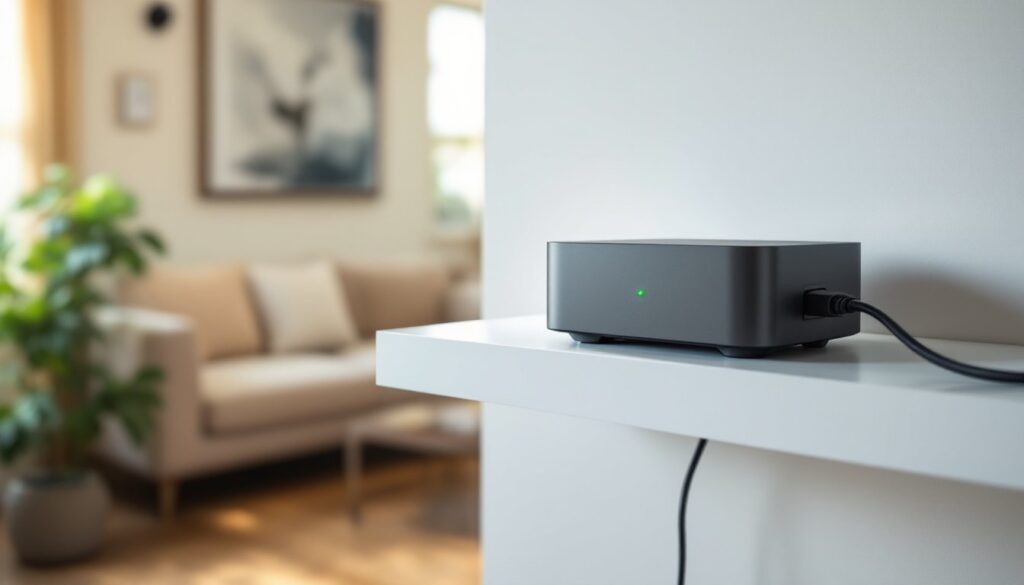
Plug in the power adapter. The LED on the hub will blink yellow during boot-up, then turn solid green when ready. This takes about 60 seconds.
-
Download the SmartThings app from the App Store or Google Play. Create a Samsung account if you don’t already have one. The app is free and doesn’t require a subscription.
-
Add the hub in the app. Tap the “+” icon, select “Device,” then “Scan nearby.” The app should detect the hub automatically via Bluetooth. If not, manually select “Hub” and scan the QR code on the bottom of the device.
-
Name the hub and assign a location. The app will prompt for a home name (e.g., “Main House” or “Workshop”). This matters if managing multiple properties or separate buildings.
-
Update firmware. The hub will likely download and install updates immediately after setup. This can take 5-10 minutes. Don’t unplug during this process, corruption can brick the hub.
-
Install backup batteries (optional). Remove the bottom plate and insert four AA batteries. The app will confirm backup power is active.
-
Add devices. Begin pairing Z-Wave locks, Zigbee sensors, or Wi-Fi cameras. Each device type has a specific pairing mode, consult the device manual. Z-Wave devices typically require a triple-press of a button to enter inclusion mode.
Pro tip: Place the hub centrally in the home, ideally on the main floor. Mesh networks perform best when the controller sits near the center of the coverage area. Avoid metal cabinets, aquariums, or appliances that can block signals.
Most users can handle this solo, but running Ethernet to the ideal location might require fishing cable through walls, a task easier with two people.
Compatible Devices and Ecosystem Integration
The Aeotec hub supports over 4,000 certified devices across multiple protocols. Here’s a breakdown by category:
Lighting:
- Z-Wave dimmers and switches (GE, Zooz, Inovelli)
- Zigbee bulbs (Philips Hue, Sengled, IKEA Tradfri)
- Wi-Fi smart plugs (TP-Link Kasa, Wemo)
Security:
- Z-Wave deadbolts (Yale, Schlage, Kwikset)
- Zigbee contact sensors (SmartThings, Aqara)
- Wi-Fi cameras (Ring, Arlo, cloud integration only)
Climate:
- Z-Wave thermostats (Honeywell T6 Pro, Trane XL824)
- Zigbee temperature sensors (SmartThings, Sonoff)
- Wi-Fi HVAC controllers (Ecobee via cloud)
Sensors and Monitoring:
- Z-Wave motion detectors (Aeotec MultiSensor, Fibaro)
- Zigbee leak sensors (SmartThings, Aqara)
- Z-Wave smoke/CO detectors (First Alert)
Voice Assistants:
- Google Assistant (full control and status queries)
- Amazon Alexa (full control and routines)
- Bixby (limited, via SmartThings app)
The hub also connects to third-party services like IFTTT, Life360 for geofencing, and Sonos for audio automation. Homeowners building a modern connected living setup will find the Aeotec hub accommodates both off-the-shelf products and DIY builds.
Compatibility note: Not all Z-Wave devices are created equal. Older Z-Wave (non-Plus) devices will pair but lack security features and may slow down the mesh network. Stick with Z-Wave Plus or Z-Wave 700 series devices for best performance.
Real-World Use Cases: How Homeowners Are Using Aeotec
Whole-home security automation is a common starting point. A homeowner pairs Z-Wave door locks, window sensors, and motion detectors with the hub. When the “Away” mode activates via the SmartThings app, all doors lock, the thermostat drops to 62°F, and interior lights turn off. If a window sensor trips, the system sends a push notification and triggers outdoor floodlights. This level of integration requires a multi-protocol hub, single-device ecosystems can’t bridge Z-Wave locks with Wi-Fi cameras.
Energy-conscious HVAC control leverages temperature sensors in multiple rooms. Instead of relying on a single thermostat in the hallway, the hub averages readings from bedroom and living room sensors to determine when heating or cooling is needed. Homeowners report 10-15% reductions in utility bills by avoiding over-conditioning unused spaces. Those exploring smart home automation techniques often start with climate control for immediate cost savings.
Accessibility upgrades for aging-in-place scenarios use voice control and automated routines. A senior with limited mobility sets up voice commands to lock doors, turn off lights, and lower blinds without leaving the bedroom. Motion sensors in hallways trigger night lights automatically, reducing fall risk. Z-Wave switches eliminate the need to reach outlets or walk to distant switches.
DIY outdoor automation extends control to detached garages, sheds, and landscape lighting. Z-Wave long range connects a garage door controller 200 feet from the main house without adding repeaters. A leak sensor in the shed alerts homeowners to roof issues before water damage spreads. Outdoor smart plugs control fountain pumps and holiday lighting on schedules.
Rental property management uses the hub to monitor vacation rentals remotely. Door locks generate one-time codes for guests, water sensors alert to pipe leaks, and energy monitoring tracks HVAC abuse. Property managers can verify that heat is set appropriately between bookings without driving to the site. Reviews on professional testing platforms highlight the hub’s reliability for remote property oversight.
Troubleshooting Common Issues and Pro Tips for Optimization
Device won’t pair: Ensure the device is in inclusion mode and within 10 feet of the hub during initial pairing. Z-Wave devices build mesh networks after pairing, but the first connection requires close proximity. If a device still won’t pair, exclude it first (even if it was never successfully added). The SmartThings app has a “General Exclusion” mode under device settings.
Slow response times: A weak mesh network is usually the culprit. Z-Wave relies on devices acting as repeaters, battery-powered sensors don’t repeat signals, but hardwired switches and plugs do. Add at least one Z-Wave Plus plug or switch between the hub and distant devices. Aim for a repeater every 30-40 feet through walls.
Automations not triggering: Check whether the automation is cloud-based or local. In the SmartThings app, local automations show a small house icon. Cloud automations require internet access and can fail during outages or service disruptions. Convert critical routines to local execution by using only locally supported devices and conditions.
Firmware update failures: If an update fails mid-install, unplug the hub, wait 30 seconds, and reconnect power. The hub should attempt recovery automatically. If it doesn’t, factory reset by holding the reset button for 10 seconds while powered on. This wipes all settings, backup device lists and routines in the SmartThings app first.
Battery backup not activating: Verify battery orientation and charge level. Cheap alkaline batteries sometimes can’t supply sufficient current. Use lithium AA batteries for backup power, they handle temperature extremes better and last longer.
Pro Optimization Tips
-
Run a Z-Wave repair after adding or moving devices. This updates routing tables and optimizes mesh paths. In the SmartThings app, tap the hub, then settings, then “Z-Wave Utilities.”
-
Label devices descriptively during setup. “Front Door Lock” is better than “Lock 1” when troubleshooting at 2 AM.
-
Use scenes instead of individual device commands in automations. A “Goodnight” scene that turns off all lights runs faster than 12 separate off commands.
-
Monitor hub health in the app. CPU and memory stats show if the hub is overloaded. More than 100 devices or 50+ automations can slow performance, consider a second hub for large homes.
Homeowners comparing smart home strategies often find that investing time in network optimization upfront prevents frustration later. Testing from trusted sources confirms that proper mesh design matters more than raw device count.
Conclusion
The Aeotec Smart Home Hub delivers on the promise of reliable, local-processing automation for homeowners ready to move beyond single-device ecosystems. Its multi-protocol support, extended Z-Wave range, and battery backup make it a practical choice for both new builds and retrofit projects. Setup is straightforward, compatibility is broad, and optimization tools give DIYers control over performance. For those building a resilient, integrated smart home, this hub provides the foundation.